Start here
How to Back Up Original Values Before Changing Codes
A simple backup-first guide for recording original module values so you have a rollback path if a change does not behave as expected.
1Best use of this free guide
Use it to understand the behavior change before building a worksheet.
2Confirm first
Confirm your year, trim, engine, drivetrain, adapter, laptop, and backup plan.
3Stop if
FORScan will not connect, voltage is unstable, the module/address does not match your worksheet, or the truck shows warnings.
Start here
Should you do this?
The short answer first, so you can stop reading if it is not for your truck.
Best use of this free guide
Use it to understand the behavior change before building a worksheet.
Confirm first
Confirm your year, trim, engine, drivetrain, adapter, laptop, and backup plan.
Stop if
FORScan will not connect, voltage is unstable, the module/address does not match your worksheet, or the truck shows warnings.
This free lesson is here to help you decide, not pressure you. If the setup, hardware, legality, safety, or compatibility picture is unclear, pause and research before purchasing parts, building a worksheet, or writing values. Never copy values from a free guide, screenshot, forum post, or another truck.
Free: F-150 FORScan pre-flight & rollback checklist
Three printable pages covering what to do before you write a single value, how to keep every change reversible, and what to do when a module stops responding. No codes, nothing to buy. Take it to the garage.
Background
What this actually changes
What the job does, where compatibility gets tricky, and what it looks like.
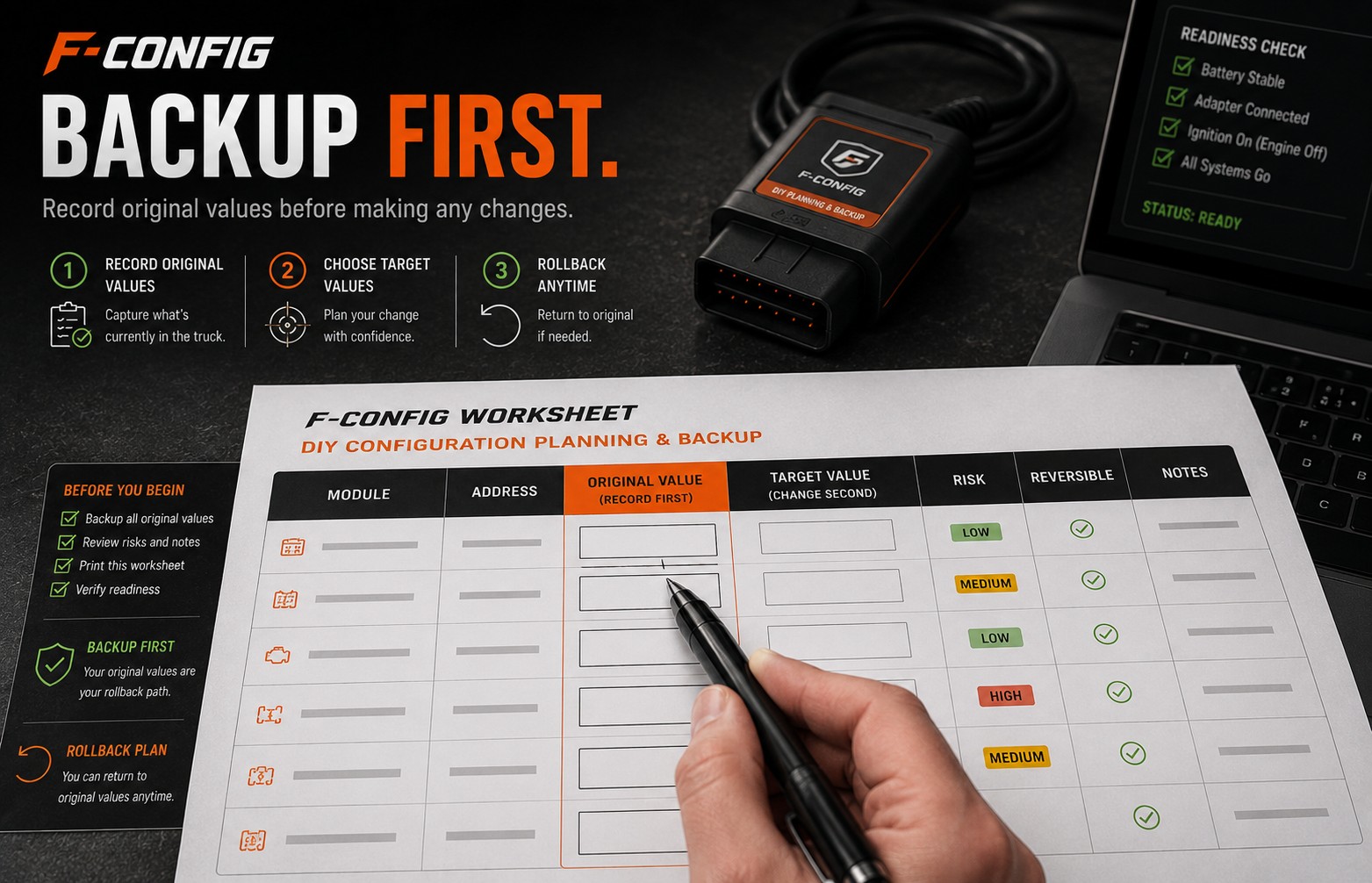
A useful worksheet is not just target values. The rollback path starts when the original module value is recorded before the change.
Backing up original values means writing down or saving the current value before replacing it with the worksheet target value. If the truck does something unexpected, that original value is your first recovery path.
Software or hardware?
This is a process step, not a mod. It applies to software-only changes and hardware-required retrofits because both can require restoring original values.
Where compatibility gets tricky
Every supported F-150 worksheet should be treated as backup-first. The exact modules and addresses vary by mod and truck.
Before you build a worksheet
Use this free guide to decide if the job makes sense for your truck. If the required hardware, safety impact, adapter connection, or backup plan is unclear, solve that first instead of building a worksheet and guessing inside FORScan.
Pictures, videos and comparisons
Use this table to decide whether to continue reading, prepare more, or stop before changing anything.
Best use
Understand the behavior change before building a worksheet.
Good sign
Your truck details, adapter, laptop, FORScan access, and backup plan are ready.
Stop sign
FORScan will not connect, voltage is unstable, or the module/address does not match.
Worksheet fit
Useful for organizing compatible rows, original values, notes, and checks.

F-Config
Backup Your Original Module Values
The most important safety step. Save original module values before changing any as-built data.
Open resource
YouTube
AS-BUILT Data Explained
External video explaining what as-built data is and why backups matter before changing module values.
Open videoYouTube
Loading Factory As-Built Data
External video covering how factory as-built data can be used when restoring values.
Open videoThe work
How to do it
What to have ready, what to do before you change anything, and the order to work in.
What you need before you start
Before changing any values
Save the original value before changing a row. Only use rows from your own worksheet for your selected truck. If something feels wrong, restore the last original value first.
- Do not rely on memory for original values.
- Record the original value before typing the target value.
- Keep the original value with the same module and address row.
- Make one change at a time when possible.
A simple way to approach it
- 1
Open the worksheet and find the first row you plan to change.
- 2
Find the same module and address in FORScan.
- 3
Copy the current value into the worksheet original-value space.
- 4
Only then type the worksheet target value.
- 5
Write the value, cycle ignition if needed, and verify the result.
- 6
Mark the row complete only after backup, write, and verification are done.
Afterwards
Check it worked
How to confirm it worked
- Every edited row has an original value recorded.
- The original value is matched to the correct module and address.
- The worksheet checkboxes show backup, written, and verified status.
- You know which value to restore if the last change fails.
Common mistakes and problems
- Customer writes the target value before recording the original.
- Original values are recorded without module/address labels.
- Multiple rows are changed before testing the first one.
- Customer restores the wrong row because notes were not organized.
FORScan notes
- Original values should be copied before the target value is written.
- If FORScan shows a value different from your expectation, stop and review before writing.
- Do not assume another truck’s original value should match yours.
Safety net
If it goes wrong, and where this came from
Rollback plan
- Restore the original value for the last edited row first.
- Do not keep changing more rows while troubleshooting the first problem.
- Rescan for codes and confirm the truck is stable before continuing.
Verified facts
Saving original values is the practical rollback path for DIY module configuration work.
F-Config worksheet design
The worksheet includes original-value spaces and checks so the backup habit is part of the job.
Customer responsibility
Customers must confirm they copied the correct module, address, and current value before writing.
Sources reviewed
FORScan official site
OfficialUsed for general FORScan software, adapter, and license context.
Open sourceFORScan community forum
Community-reportedUsed to compare community-reported module behavior and common troubleshooting patterns.
Open sourceFord owner support
OfficialUsed for owner-facing feature and vehicle operation context.
Open sourceF-Config is independent. These notes do not imply Ford, FORScan, forum, or community endorsement. Do not use F-Config to bypass emissions, theft, restraint, safety, inspection, odometer, VIN, or licensing protections.
Worksheet pages
After the original values are saved, these are the worksheet pages people usually open next. Match the year range on the label. A 2015–2020 row is the wrong address on a 2021 or newer truck.
Keep learning
Related free guides
Start here
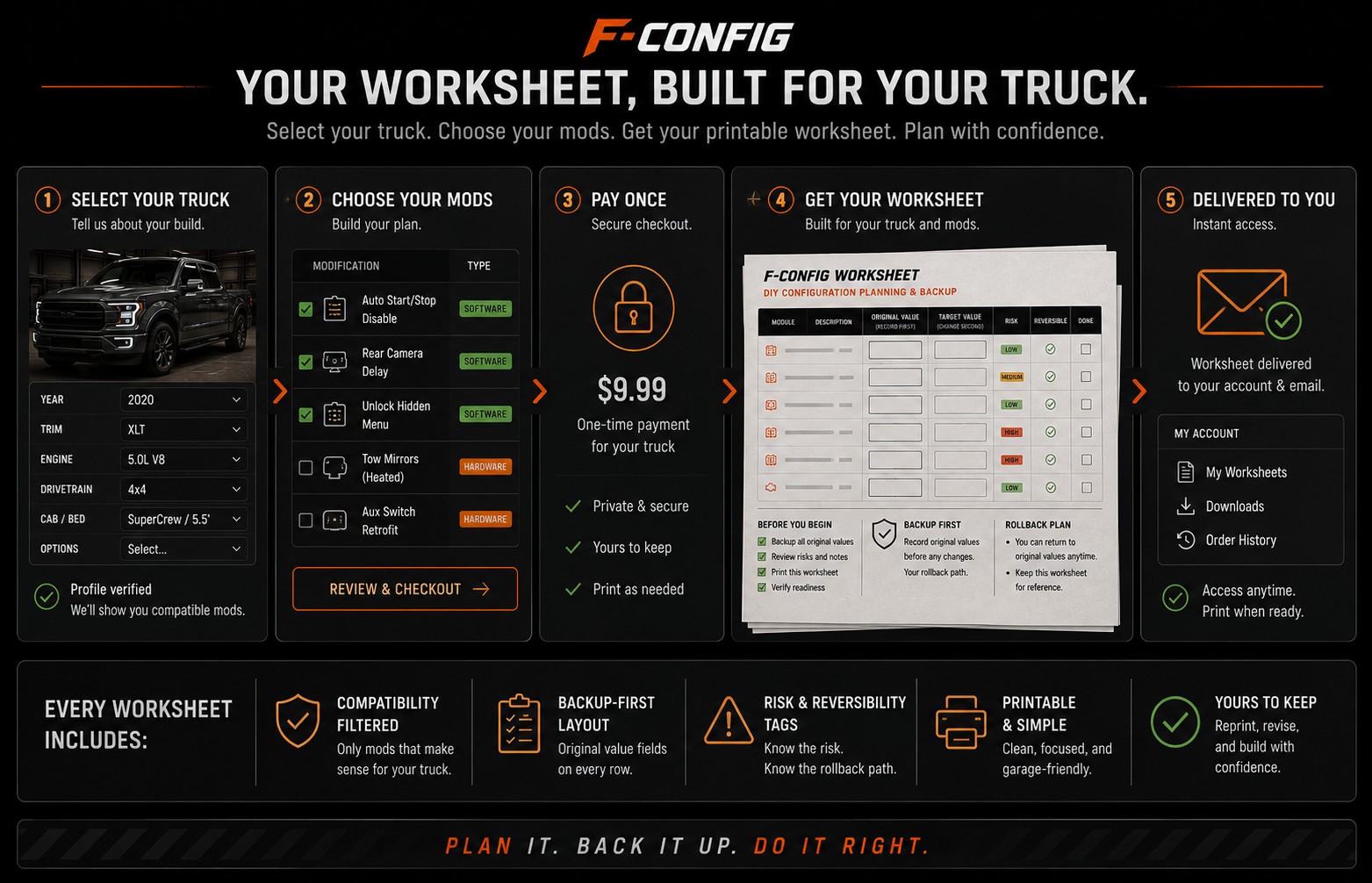
What Happens After You Buy a Worksheet
See clearly what the worksheet gives you, what it does not do for you, and how to use it before opening FORScan.
Start here
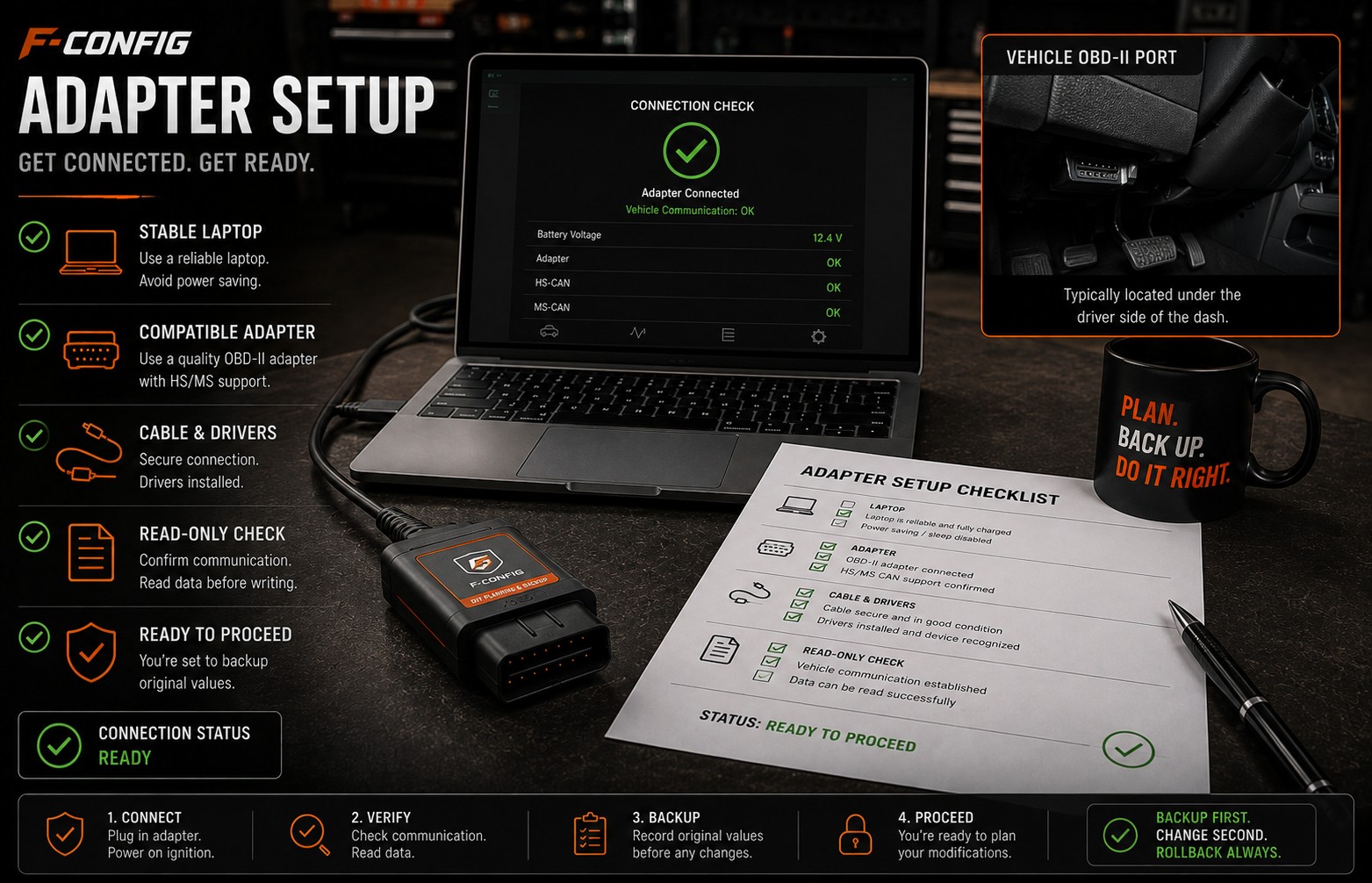
Choosing a FORScan Adapter for an F-150
Understand why the adapter matters, why stable USB is often the safer default for writing values, and what to avoid before buying parts.
Start here
How to Tell if a Mod Needs Hardware
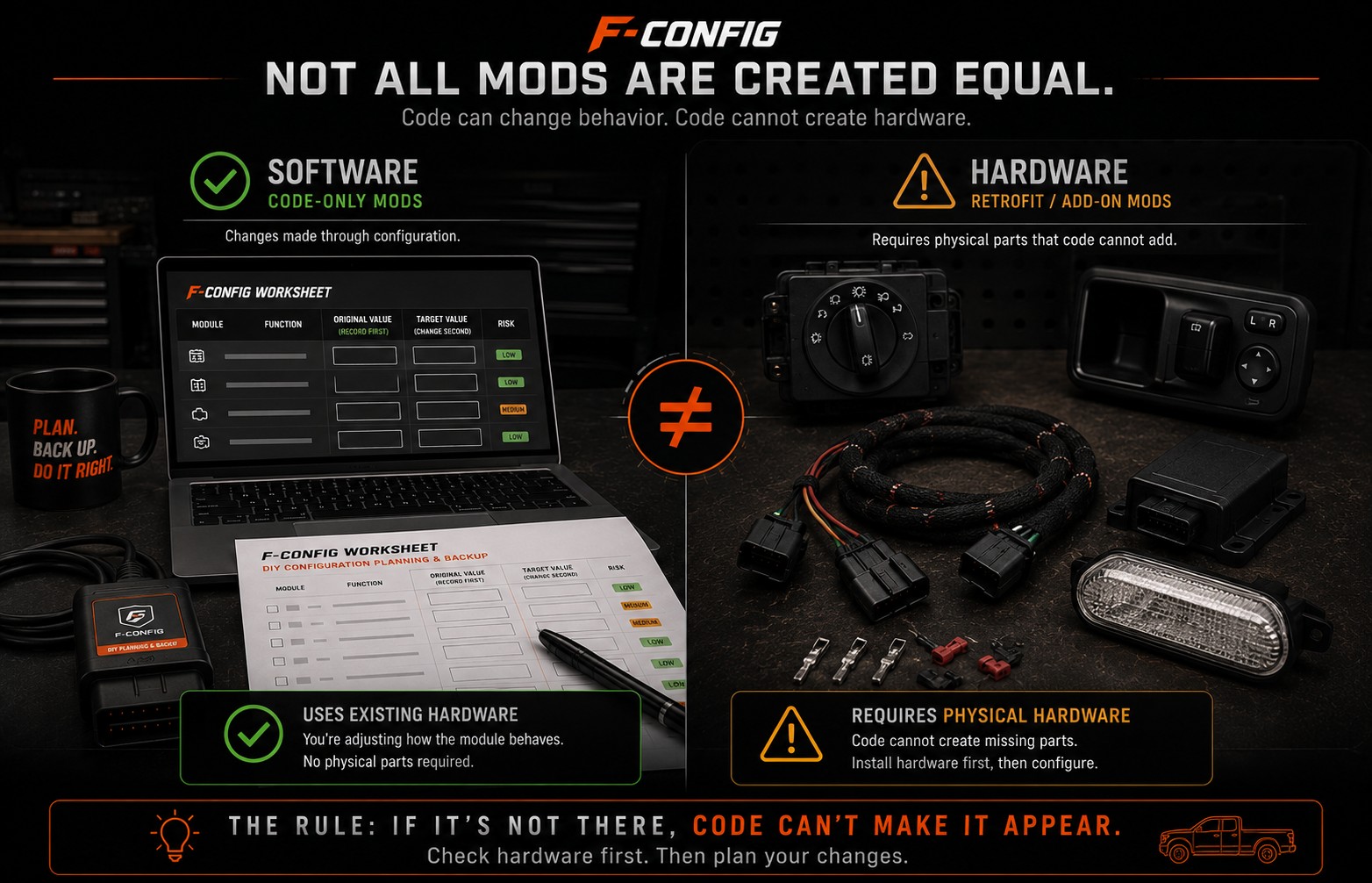
A plain-English guide for spotting the difference between a software-only worksheet change and a retrofit that needs real parts, wiring, switches, or modules first.
New to FORScan? Build the worksheet when the basics are clear.
Free guides explain the job. $9.99 is the worksheet for your truck: the rows, blanks, and checks you write yourself.
$9.99
Build My Worksheet$9.99
Free guides explain the job. $9.99 is the worksheet for your truck: the rows, blanks, and checks you write yourself.